Screener Generation
Introducing GenAI to simplify survey creation for non-researchers

We built fast instead of valuable… and learned what true innovation requires.
TL;DR
01 Context
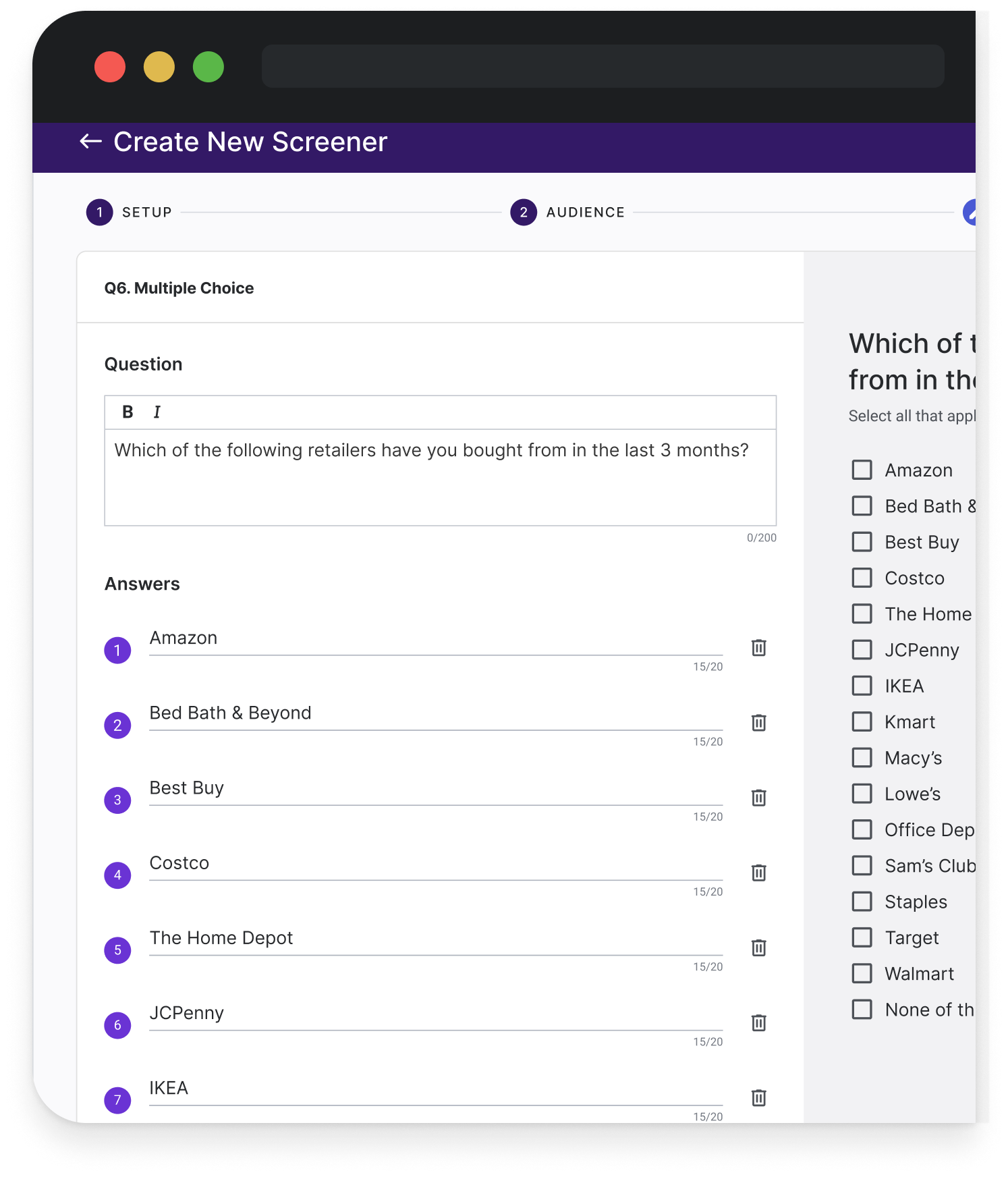
Suzy’s platform served both expert researchers and lean marketing teams. The latter struggled to write methodologically sound surveys, often depending on Client Success for support. The template library was outdated and underused, and users faced a blank canvas in the question builder—leading to low confidence, high cognitive load, and stalled adoption of DIY workflows.
02 Task
Design an AI-powered tool to help users generate survey drafts more confidently and independently—reducing setup time, improving question quality, and strengthening platform stickiness. Scope covered survey flow mapping, interaction design, usability testing, and stakeholder alignment across Product, Engineering, and Innovation (ML/AI).
03 Process
I conducted client and internal interviews to understand user behaviors, identifying two archetypes—the Rigorous Researcher and Multitasking Marketer. Early explorations focused on when and how to introduce AI within the creation flow.
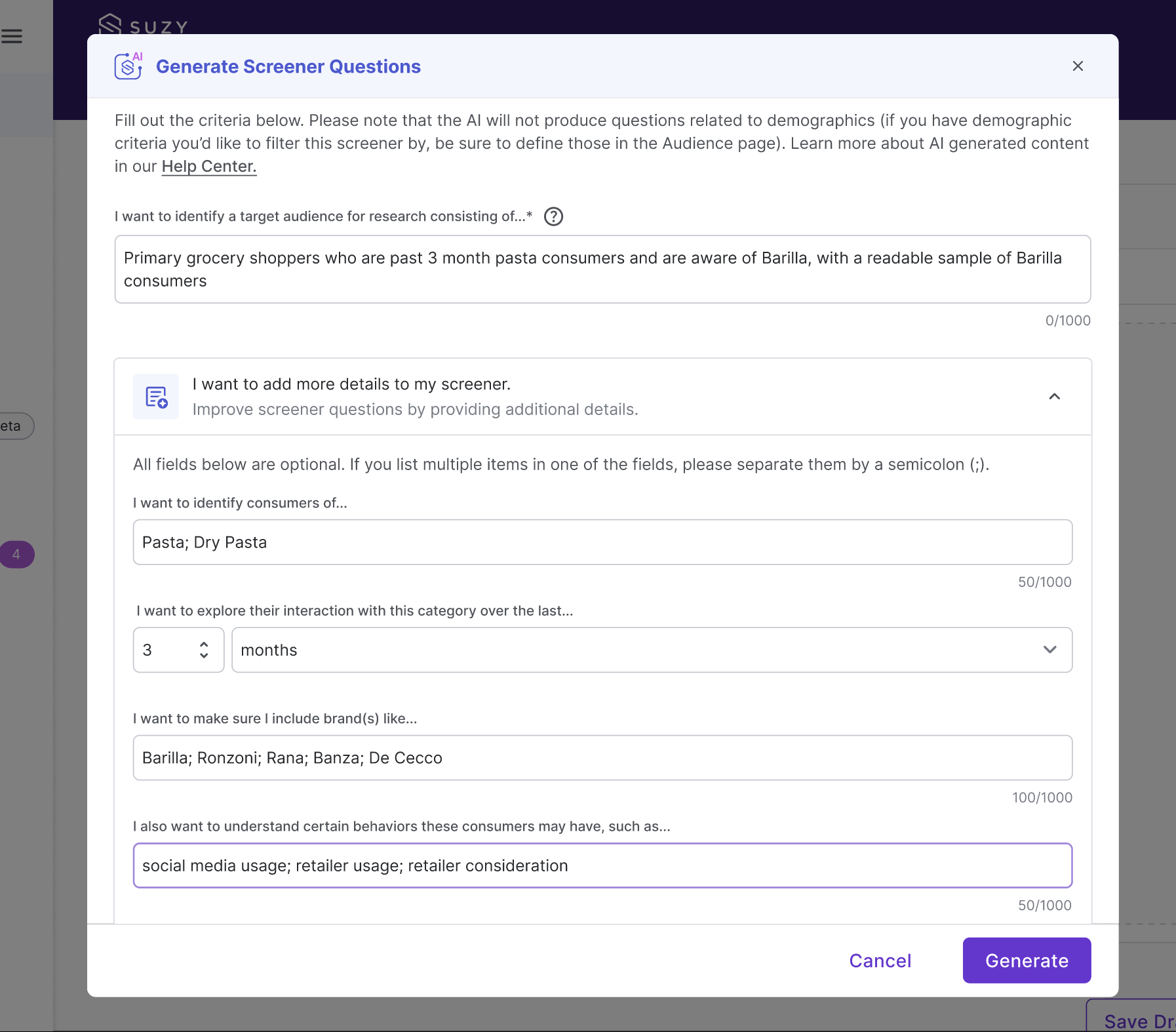
After testing multiple entry points and interaction models, we prioritized a form-based “Mad-Lib” interface over a chat UI to balance clarity and user control. The design shipped as a modal-based generator limited to screener surveys, with editable outputs and an optional context field.
Key constraints shaped the outcome:
Limited to multiple-choice questions only
Could only add AI-generated content once per survey
No “regenerate” or “logic” support due to cost and model readiness
Despite these constraints, the flow reduced setup time by 30% in user acceptance testing.
04 Impact
12% client beta release, reducing screener setup time by up to 30%
Projected $343K/yr in CSM hours saved, though adoption stayed low (≈20 uses/quarter)
Feature sunset in early 2025 due to low ROI and model-UX mismatch
Role
Lead UX Designer
Team
UX/UI
Product Manager
FE/BE Engineers
Data Innovation Team
Platform
B2B SaaS
Overview
As the GenAI boom reshaped user expectations across every SaaS category, we saw an opportunity to rethink how research gets done. At Suzy, this meant moving beyond AI as a post-hoc analysis tool and exploring how LLMs could meaningfully support users at the very start of the research process.
The Screener Generator was our first step toward that vision.
The screener survey acts as the first gate in market research. It determines who gets to answer your questions and whether your data will hold up. But for many users, creating a screener from scratch felt tedious, high-stakes, and easy to get wrong.
By integrating OpenAI’s API, we introduced a flexible tool that could interpret a research objective and return a draft screener in seconds, giving users a clear starting point without taking away their control. It also laid the groundwork for future capabilities, including summary generation and conversational data analysis.
Research & Discovery
User Research
We conducted two rounds of usability testing with a mix of experienced and novice researchers. Their feedback surfaced four recurring themes:
Users were curious about AI but skeptical. They needed to feel in control, and their trust in a tool’s quality was more important than the glitz of automation.
Ambiguous inputs and unclear labels led to hesitation and second-guessing.
Users wanted a glimpse into the AI’s reasoning to understand the “thinking” behind its suggestions.
Flexibility wins! Experts needed to tailor the output, not merely accept it as-is.
This feedback aligned with a broader pattern we’d seen across Suzy: researchers weren’t asking us to do the work for them. They were asking for tools that supported their expertise, not sidelined it.
Competitive Landscape
In our deep-dive analysis, we discovered that many competitor tools leaned heavily on automation, often at the expense of user agency.
Our opportunity was clear: create an experience that marries the efficiency of OpenAI with the nuanced control that discerning researchers require.
Overly prescriptive interfaces that constrain creativity
A lack of transparency in the AI’s decision-making
Minimal support for iterative, collaborative refinement
Framing the Opportunity: How might we leverage Generative AI to reduce diverse users’ barriers to conducting high-quality research?
Through journey mapping and stakeholder workshops, we identified friction not just in screener creation but across the entire lifecycle. While competitors leaned heavily on prescriptive automation, they often sacrificed user agency (while also racking up $$$ from unnecessary API calls). We saw the opportunity to:
Provide flexible, guided inputs over rigid templates
Build transparency into the AI’s decision-making
Support iteration, exploration, and collaborative refinement
The Screener Generator became our test case for designing AI tools that are fast, flexible, and trustworthy.
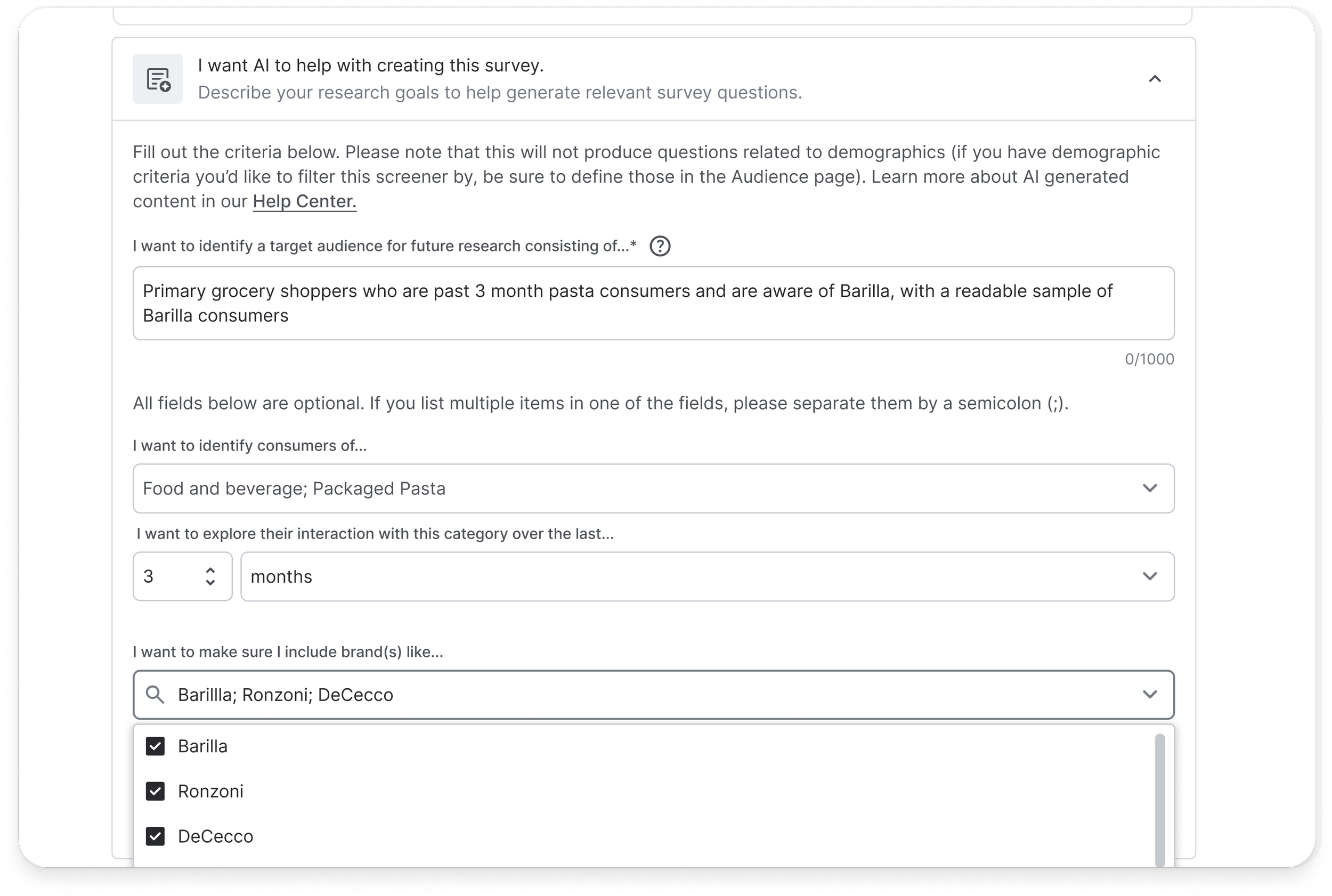
An early sketch of the AI input flow, where we explored how to prompt clarity without adding chaos.
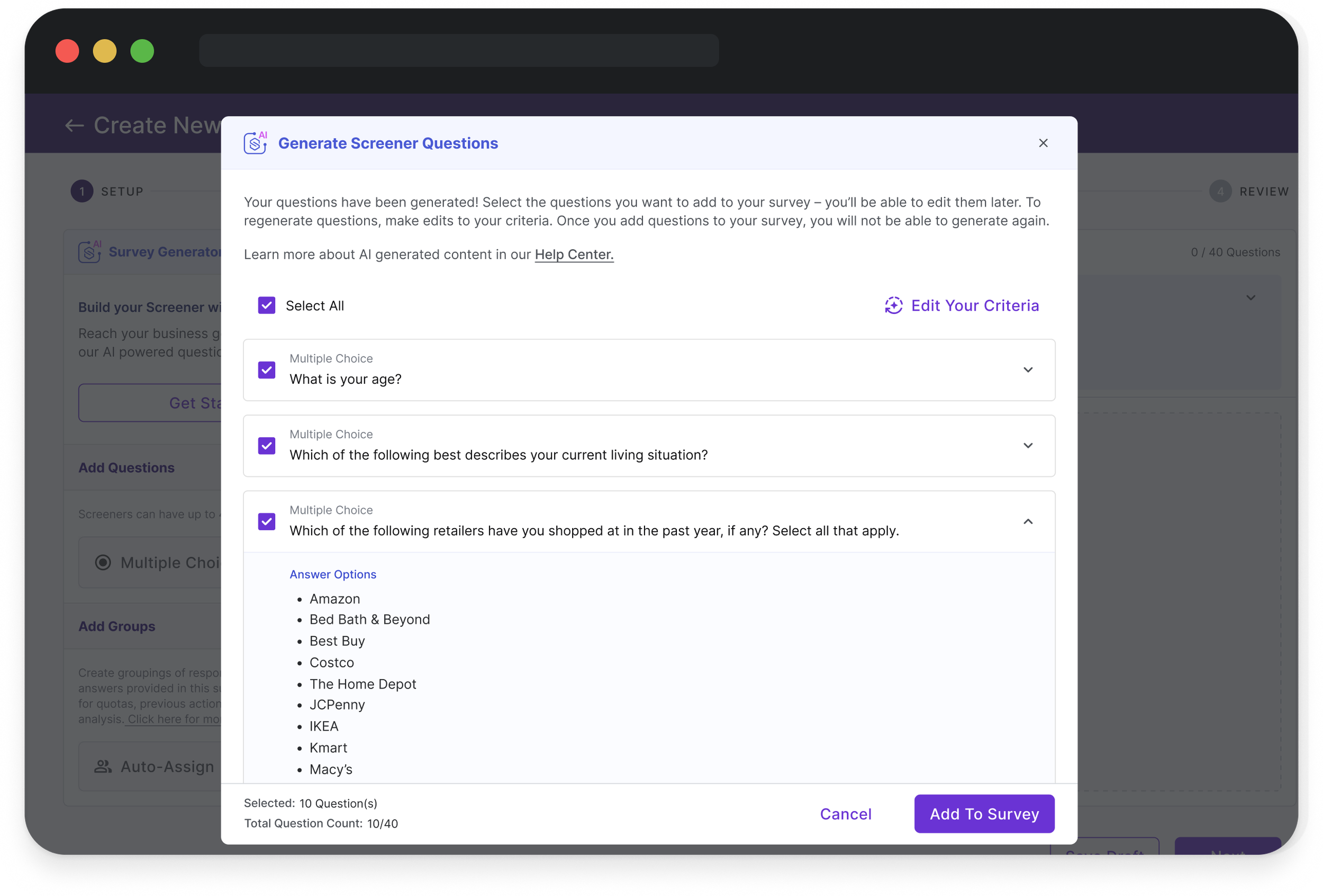
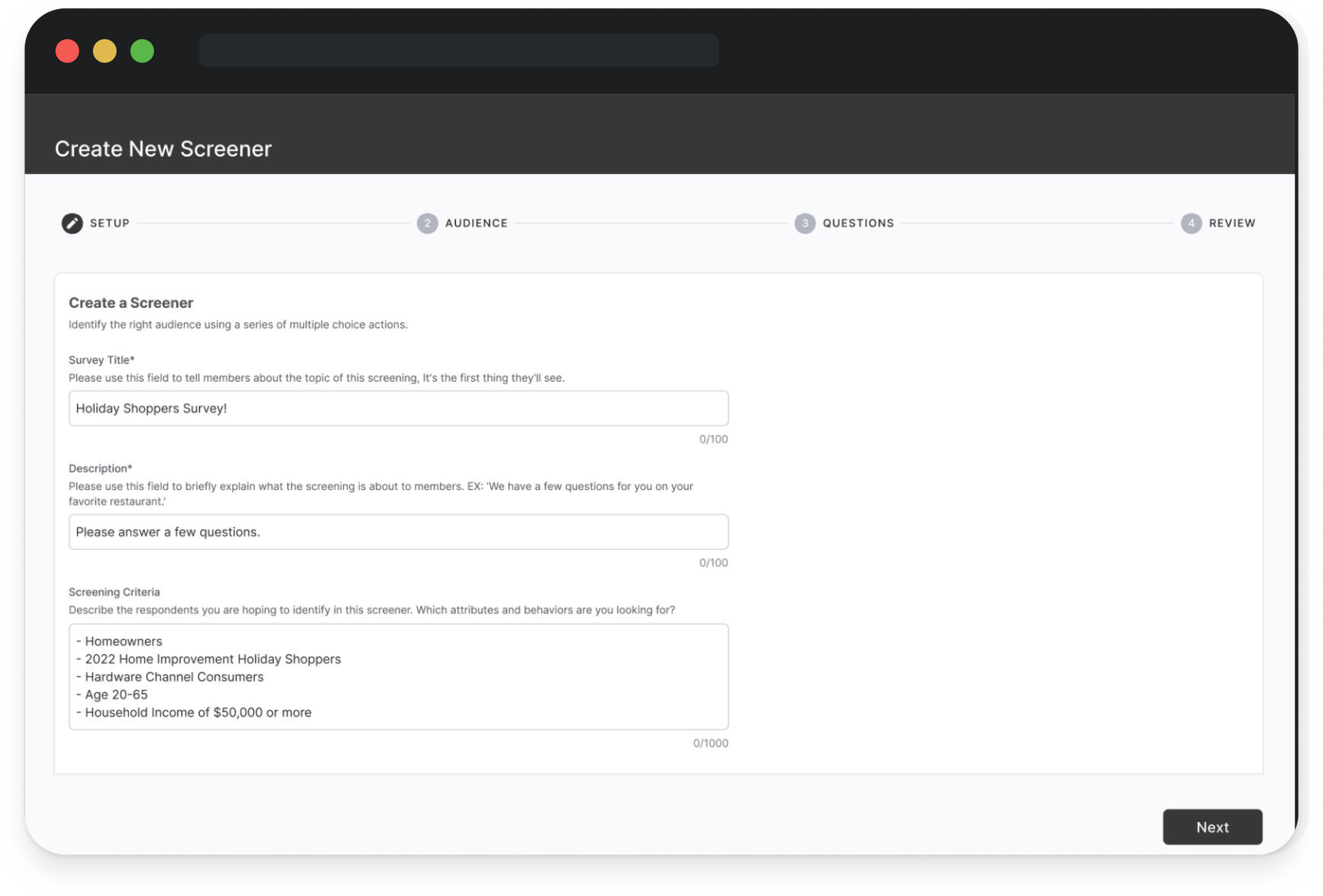
A production-ready design that pairs GPT-powered outputs with transparent edits—helping researchers move fast, stay in control, and trust the tool.
Process & Approach
I led the Screener Generator from concept to validation, shaping the interface to give users both speed and control.
The result: a tool that simplifies screener creation while staying grounded in real workflows.
Designing for Clarity
We restructured the UI around a few key principles:
Visual distinction between AI-generated and user-editable content
Precision in microcopy, so users always knew what could be changed and why
Delicate interactions: hover states, tooltips, and prompts that surfaced guidance without clutter
Our design direction mirrored our product philosophy: clarity builds trust, and trust enables speed.
Initial Testing
In our first usability round with the MVP, we uncovered major pain points:
Source confusion: Users struggled to distinguish between their original objectives and the AI’s generated screener
UI ambiguity: Labels and affordances weren’t doing enough to signal control
These findings validated the core design problem: we had to make the line between “AI helping” and “user deciding” absolutely clear.
Round Two & Overall Learnings
After refining the design, we tested again—and saw clear improvements:
Faster completion times
Increased ease-of-use ratings in the post-test questionnaire
Users shifted from “wait, what?” to “oh, that makes sense.”
The bigger win? Researchers reported feeling more confident, not only about the tool, but about the screeners they created with it.
This became a recurring theme across Suzy’s suite of AI tools: when we gave users insight into how the tool worked—and ensured they had a clear sense of control—they were more likely to trust the output.
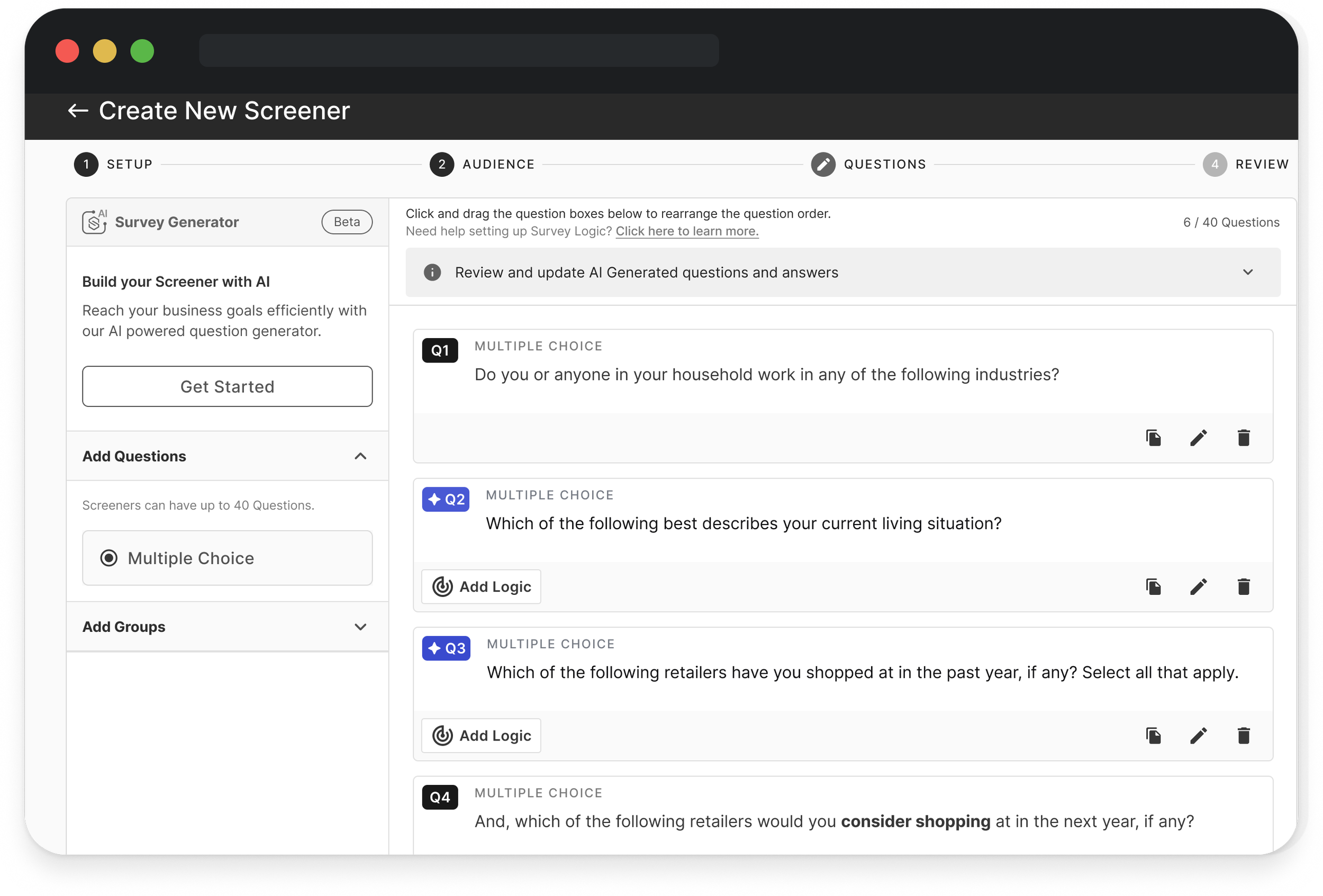
Key Features
-
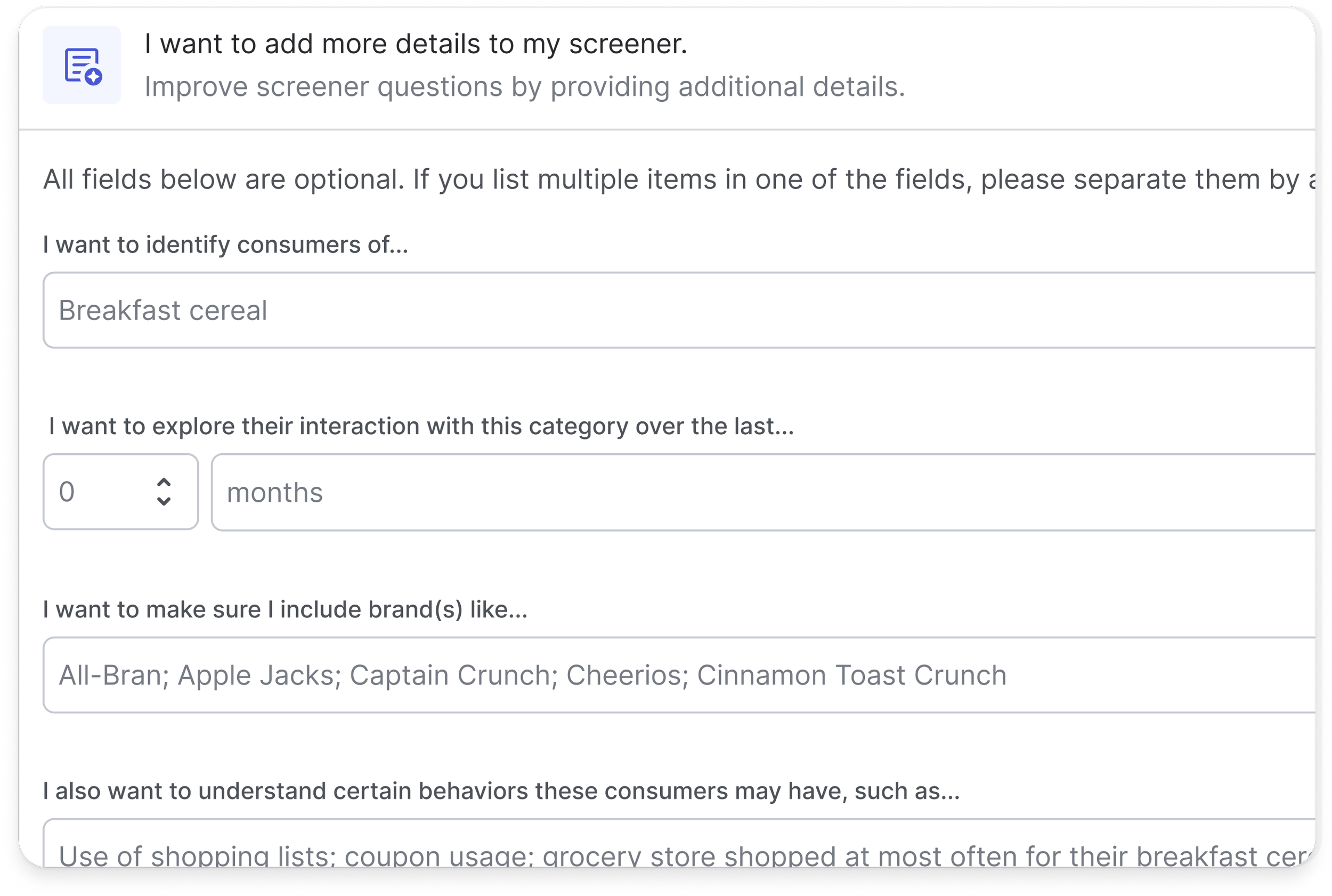
Guided Input
Conversational input fields invite researchers to articulate their objective in natural language. This info is translated into a structured draft of screener questions via OpenAI—a starting point that is as flexible as it is innovative.
-
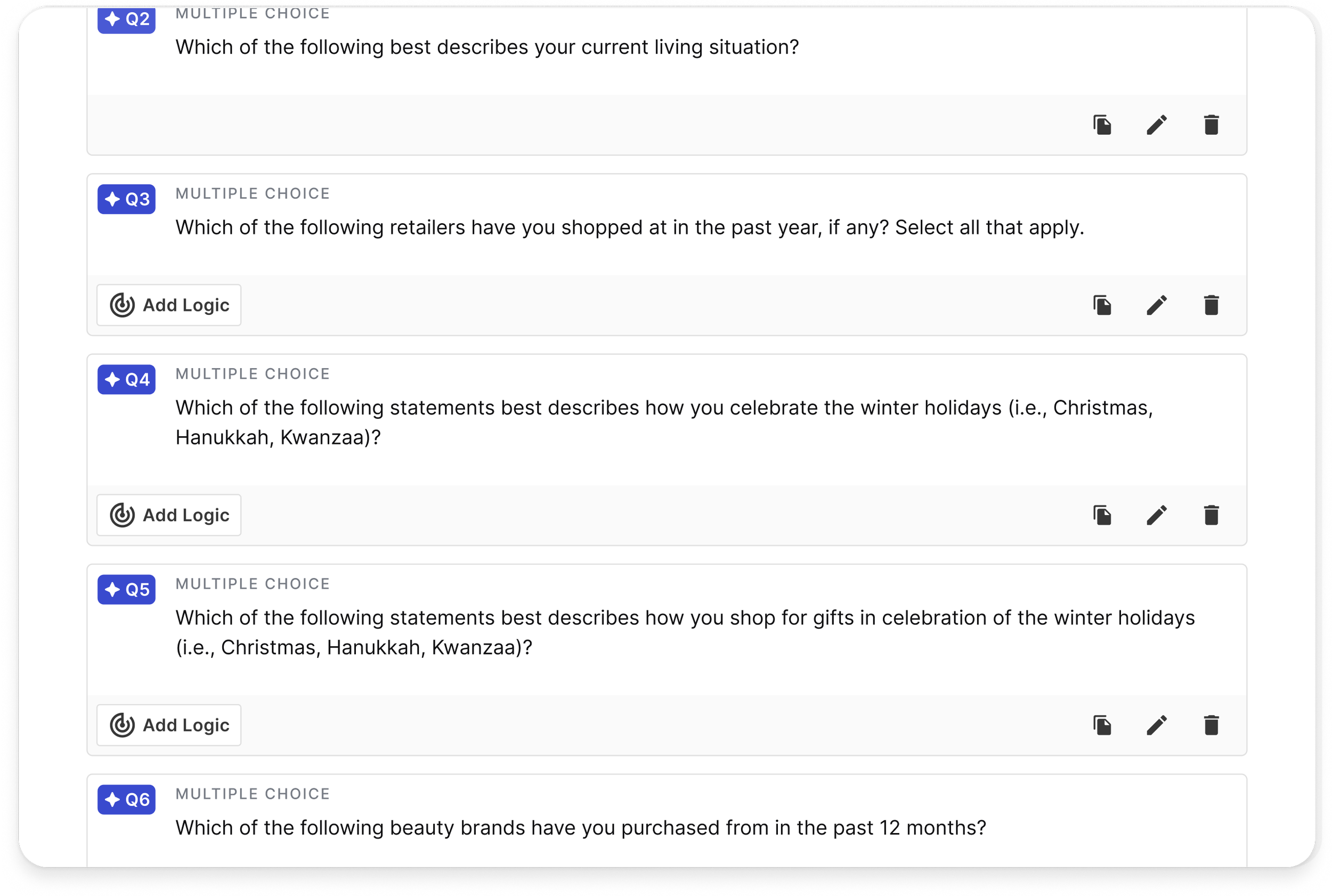
Fully Editable Outputs
Every generated question is completely editable. This ensures that while the LLM’s output provides a strong foundation, the researcher’s expertise remains front and center.
-
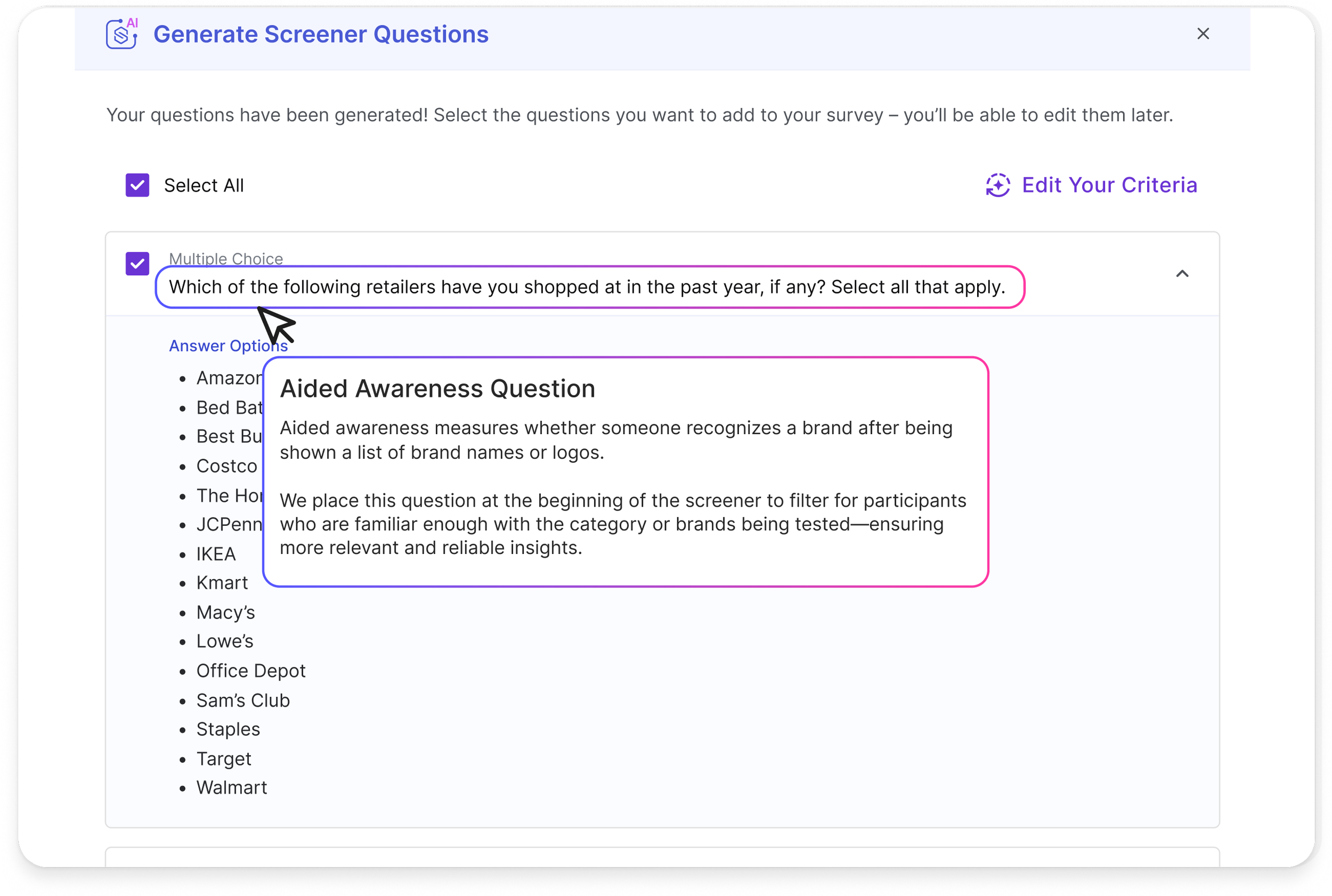
Contextual Guidance
Delicate hover states and carefully crafted tooltips offer just-in-time insights into the AI’s process, fostering trust without overwhelming the user with technical details.
Results & Impact
The Quant
28% faster completion times in screener creation, validated through pilot testing. However…
Early usage analytics showed heavy question editing post-generation, highlighting the importance of allowing for user flexibility—especially when users are only able to generate questions once per session!
The Qual
The Screener Generator is perceived as a writing assistant who can create a first draft, but the user still has to put effort into polishing questions and adding logic.
“I feel like I’m collaborating with a brilliant colleague who always leaves room for my own insights.”
— Product Insights Lead
The Next Steps
Screener Generator was just the beginning. As part of Suzy’s AI roadmap, it paved the way for post-launch features like Survey Summary Generation and Chat with Your Data—tools designed to extend this same blend of clarity and efficiency into the analysis phase.
Next, we’re exploring:
Per-survey screeners to remove rigid quarterly constraints
Transparency improvements, like version history and AI rationale
More adaptive inputs based on prior survey data
•
last words
• last words
While this project was not successful, it clarified how we navigated ambiguity and approached problem solving through an AI-empowered lens.
We optimized for speed, not value. The project revealed the need to prototype around quality and context, not novelty. If revisiting, I’d focus on strengthening the existing question library, introducing a shared repository, and expanding support for diverse survey types. The effort laid groundwork for later AI features that succeeded precisely because of these lessons.