Data Explorer
Turning complexity into clarity (and driving new revenue!)
Within months, Data Explorer drove an $18K annual upsell per customer and increased platform stickiness among advanced users. We launched a fully integrated analytics experience that replaced fragmented workflows and reclaimed user engagement.
TL;DR
01 Context
Researchers have limited ways to analyze their survey results in-platform, hindering their ability to make advanced data cuts, conduct statistical analysis, and uncover valuable insights without resorting to external tools.
This interrupts users’ workflows and diminishes the platform’s reputation as a comprehensive insights platform.
02 Task
To design an intuitive, easy-to-use data analysis tool that enables users to create advanced data cuts and conduct statistical analyses without leaving the platform.
I joined this project mid-field wherein the backend was already mostly built, though without any input from the design team. We had to design on top of this already rigid infrastructure while still delivering on some of the key expectations of our users during this phase of their workflow.
03 Process
Rapidly learned subject matter while continuing to understand concepts on the fly re: survey data analysis, creating data cuts, “derived question” functionality, etc.
Collaborated with PM, FE and another system architect to ensure feasibility, and that solutions and functions are supported
Designed the entire Data Explorer interface, retrofitting to the backend while maintaining some consistency with our design system despite being built on an entirely new codebase
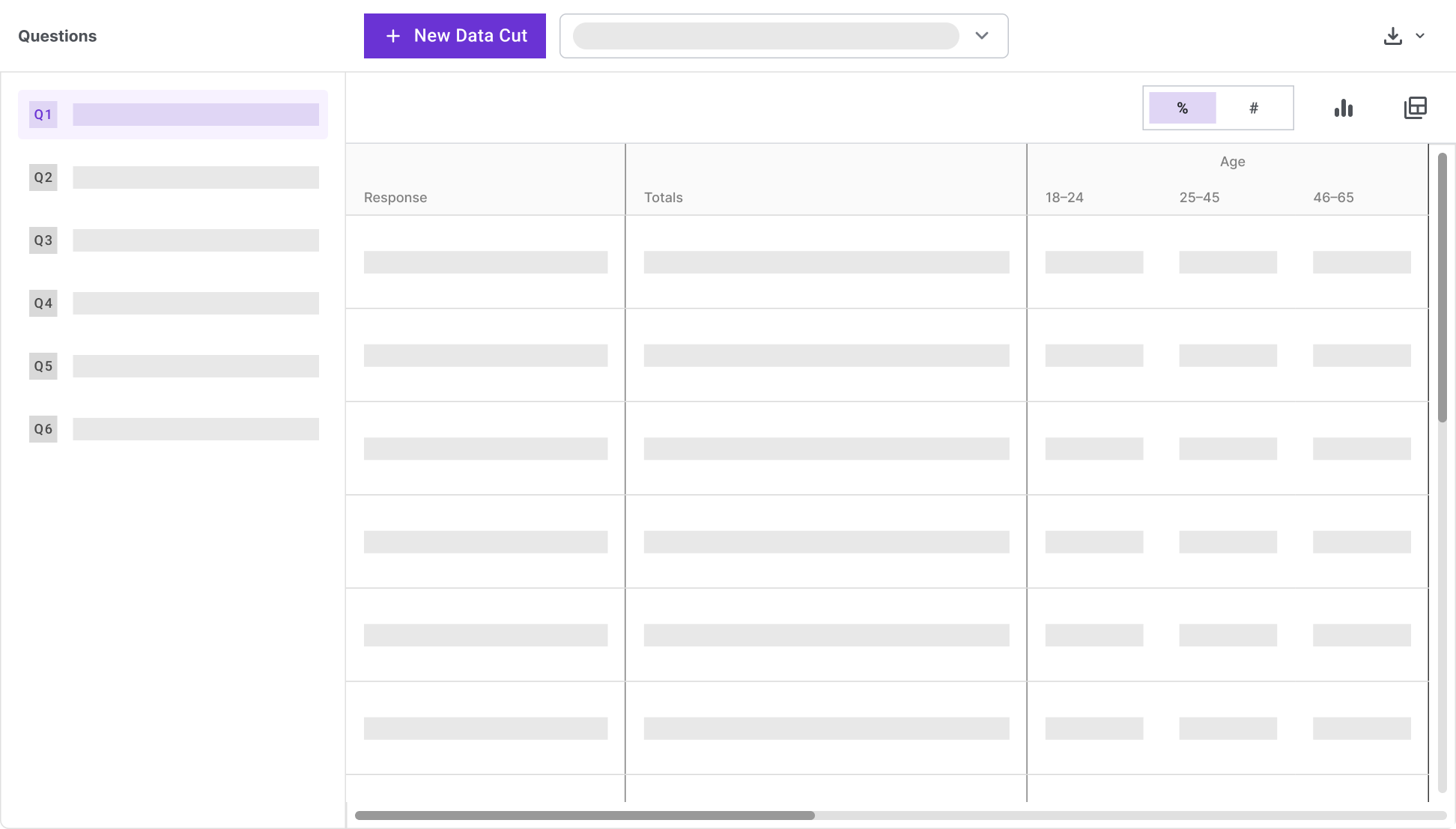
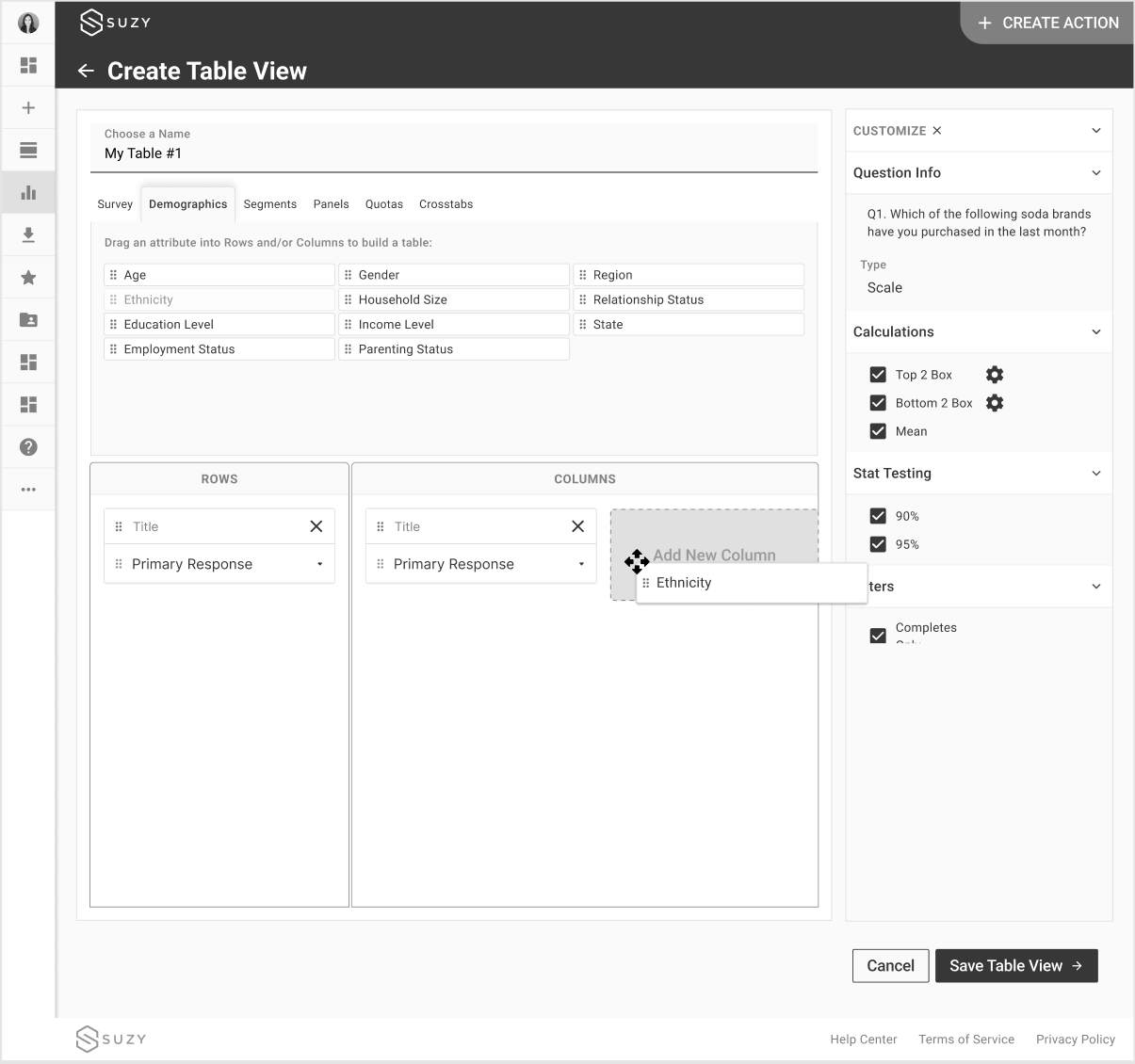
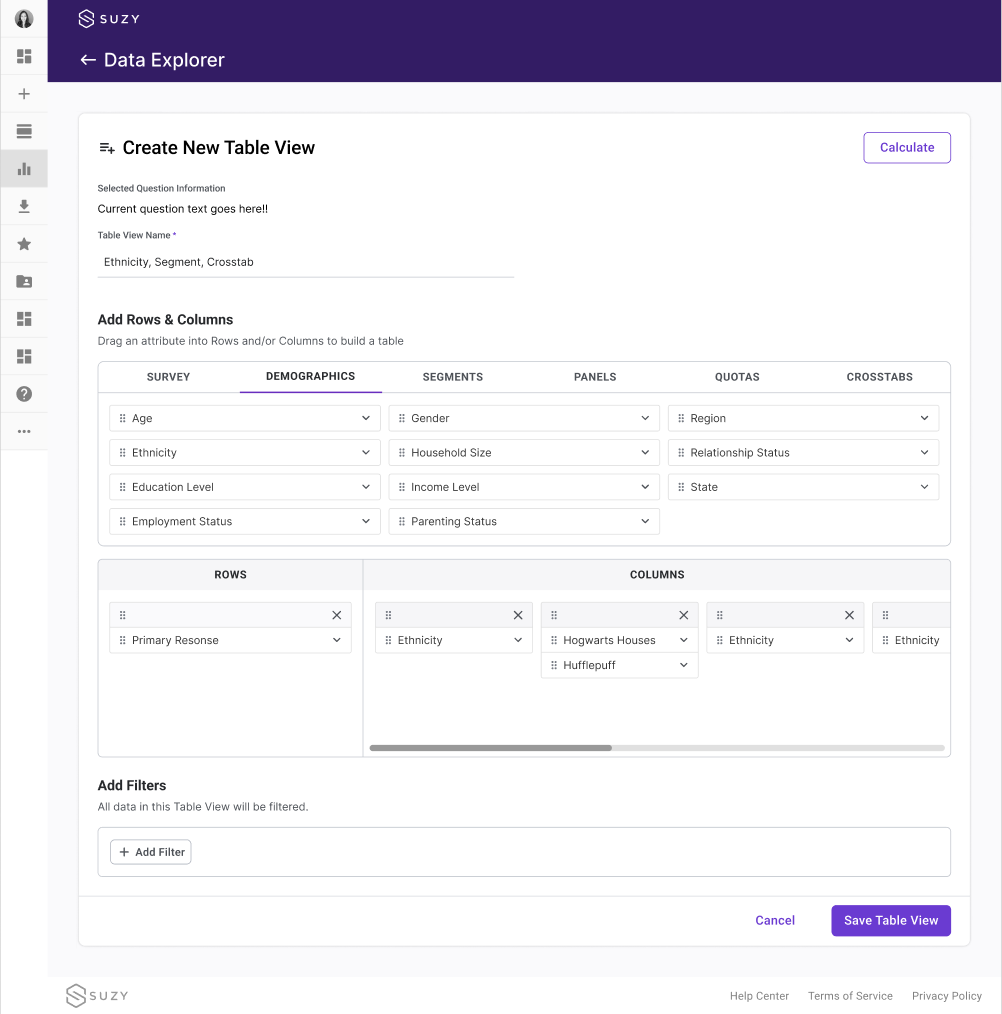
Designed the UX and workflows for creating data cuts, also known as “Table Views,” and aligning on nomenclature
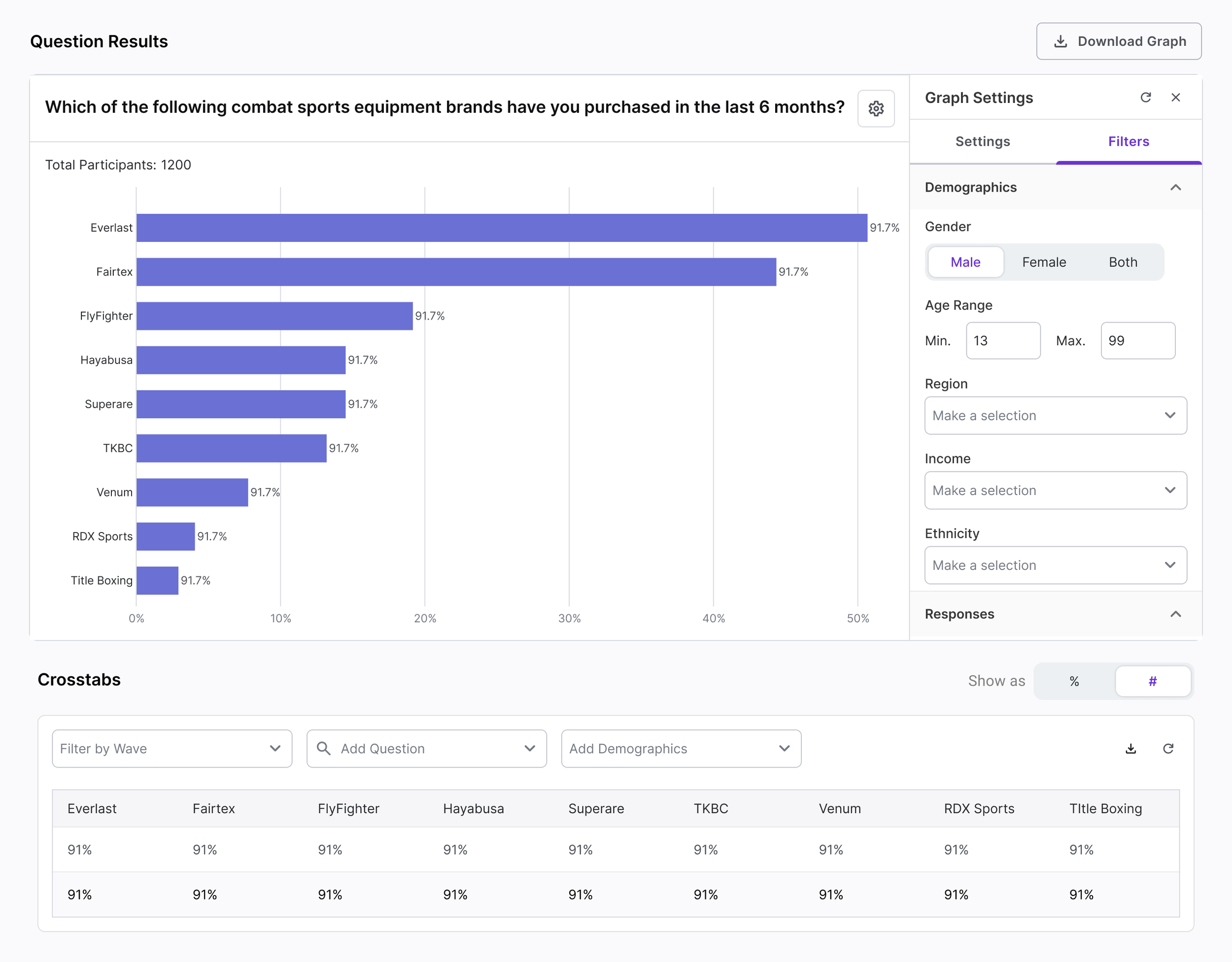
Created interaction patterns for content filtering, show/hide functionality, drag-and-drop, accordions in modals, logic builders, and tables
We didn’t follow typical processes for this, working in a more agile fashion and quickly deploying to the dev environment to test the feature and functionality.
We also skipped usability testing for most of this feature work and relied on UAT and rapid design iterations 🙃
04 Impact
Successful upsell opportunity adding $18k in value to contracts
More than $1 million in upsell sales after the first 6 months, shattering projections
New interaction patterns can be leveraged in other features across the platform
Usability issues and some key functionalities such as survey-wide data cuts and data weighting still need to follow
Role
Lead UX Designer
Tools
Figma, Maze, UserTesting, FigJam, Zoom
Platform
B2B SaaS
Overview
In its existing state, Suzy was primarily used for one purpose: to launch a study, view topline results, and export the data. But for more advanced users—market researchers, analysts, and internal Centers of Excellence—this wasn’t enough. When it came time to dig deeper, make custom data cuts, or run statistical analysis, they often had to leave Suzy altogether and turn to tools like SPSS or Q. This fragmented the research journey, slowed decision-making, and ultimately weakened Suzy’s position as a go-to insights platform.
We saw an opportunity to change that by designing Data Explorer—a deeply integrated analytics feature that brings sophisticated data manipulation and visualization capabilities directly into the platform.
While we didn’t have the luxury of building from scratch, we made the most of a partially-developed technical foundation by focusing on high-impact user flows. We prioritized clarity, speed, and contextual utility, delivering a banner builder and table view that supported complex tasks in simple ways. At the same time, we built with the future in mind: the interface was designed to be modular and scalable, capable of growing into a more powerful system as user needs evolved.
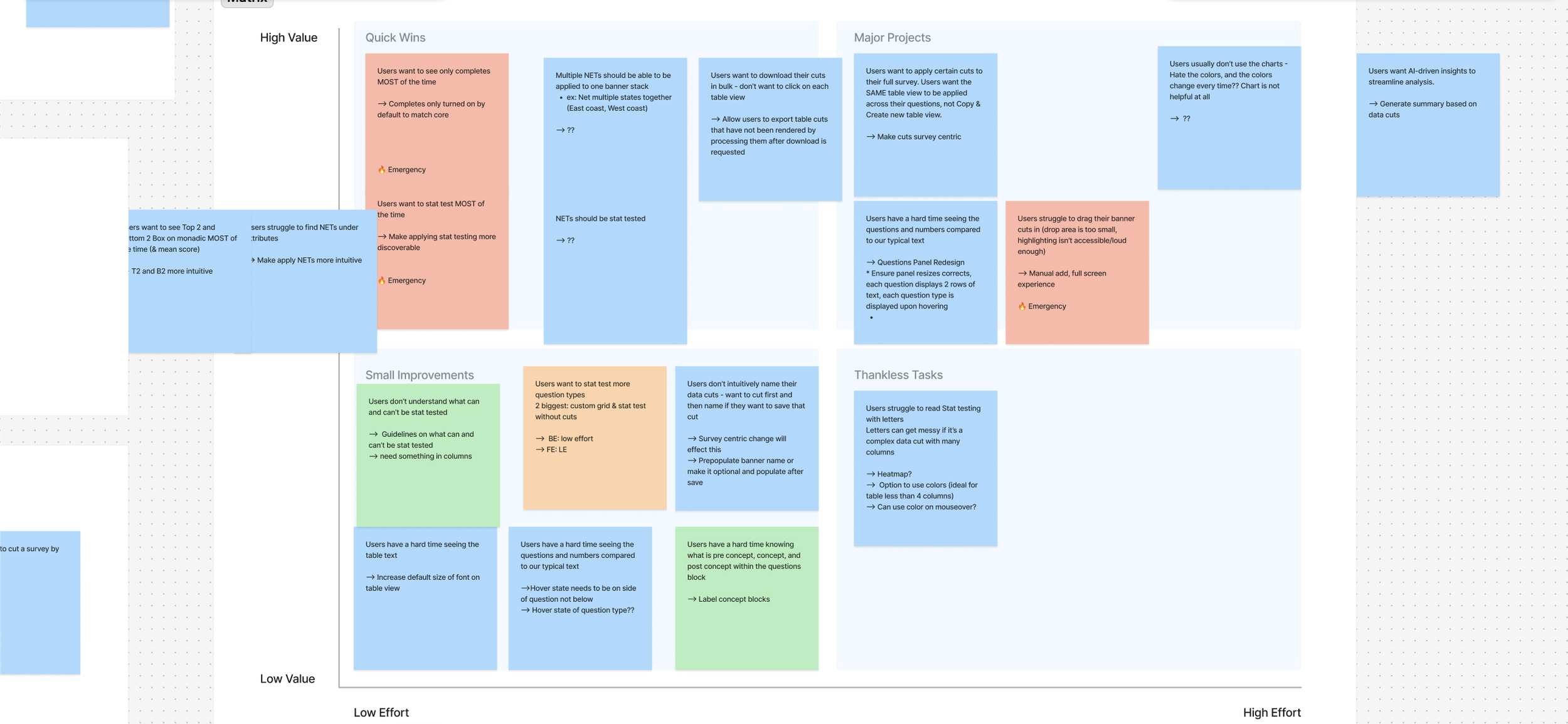
Real user pain points in enterprise data dashboards: sticky notes reveal urgent UX issues, confusing stat tests, and small wins that drive smarter B2B SaaS improvements.
A Different Approach Than Usual
User Research
We started by listening.
Through interviews and empathy mapping workshops, we reframed the problem: users didn’t just want advanced analytics—they wanted faster paths to insight. Their work was less about crunching numbers, more about enabling decisions.
This distinction was crucial: rather than emulate third-party tools packed with features but high on friction, we designed to collapse that complexity into clear, intuitive flows. I worked closely with engineering and product to align our design logic with the existing backend and ensuring what we designed could ship on time.
Key Decisions
Retrofit, not rebuild
Worked within the partially built backend to reduce friction and accelerate delivery, though this came with some consequences and heavy limitations on the user experience.
Statistical significance testing = non-negotiable.
Designed for immediacy and clarity to support fast, confident decision-making by prioritizing the most reliable and widely used calculations.
Design for scale
Kept the MVP modular to accommodate future functionality. Created consistent patterns for filtering, builder interactions, and cross-question logic creation that would be used to improve results experience on core platform.
Tradeoffs
Narrative exports
This is part of a long-term initiative to promote smarter storytelling, but not deemed a necessary export within the "data analysis” part of the workflow.Survey-wide data cuts
As a consequence of design’s mid-stream entry into this project, we had to add a separate “Apply to All” function.Visually consistent tables & charts
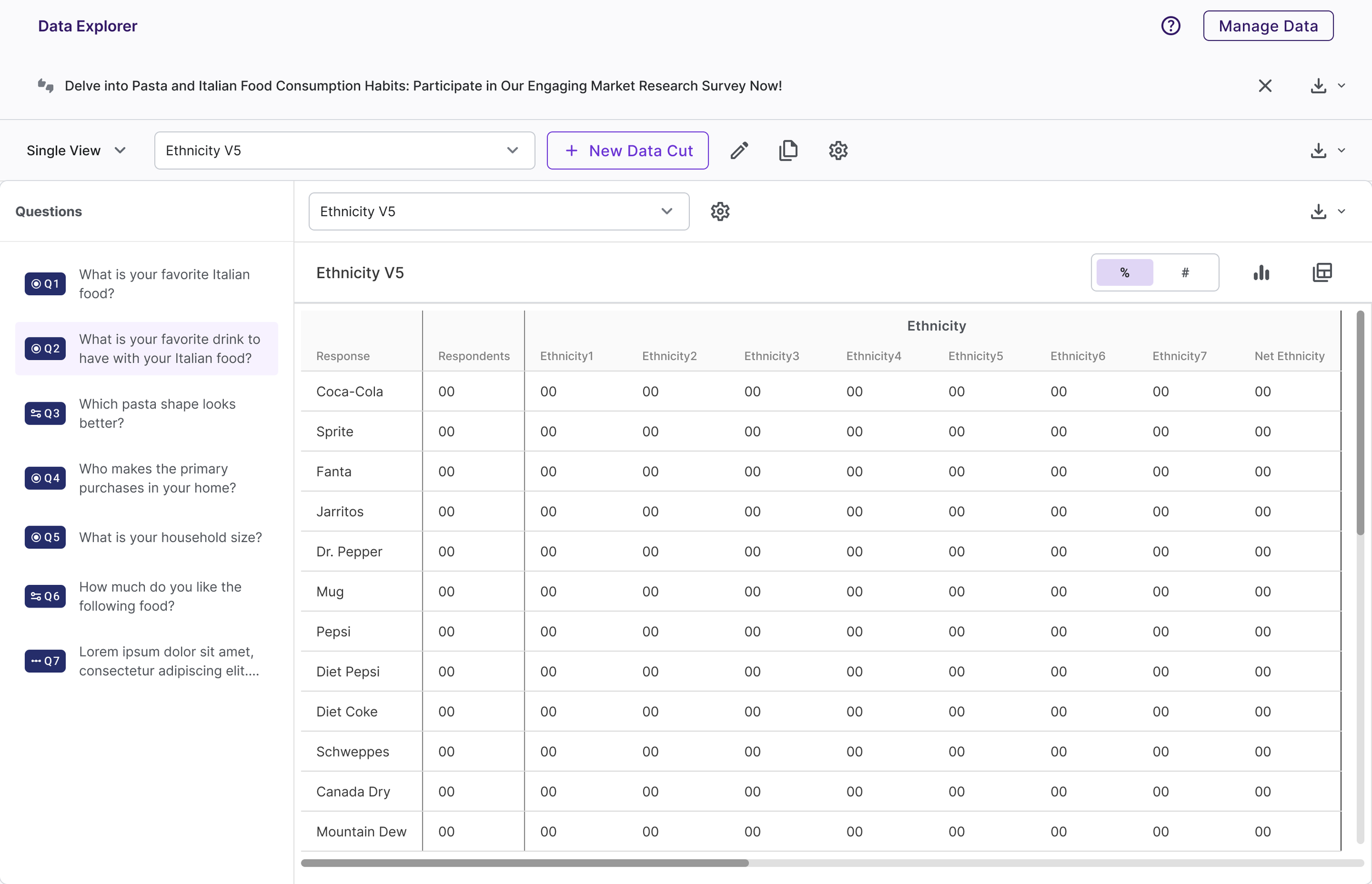
Caught in a build-vs-buy dilemma early on, Data Explorer used a third-party library to speedily render tables and charts during production. We were unable to integrate it with our design system within the time frame.
Repurposed Patterns
-
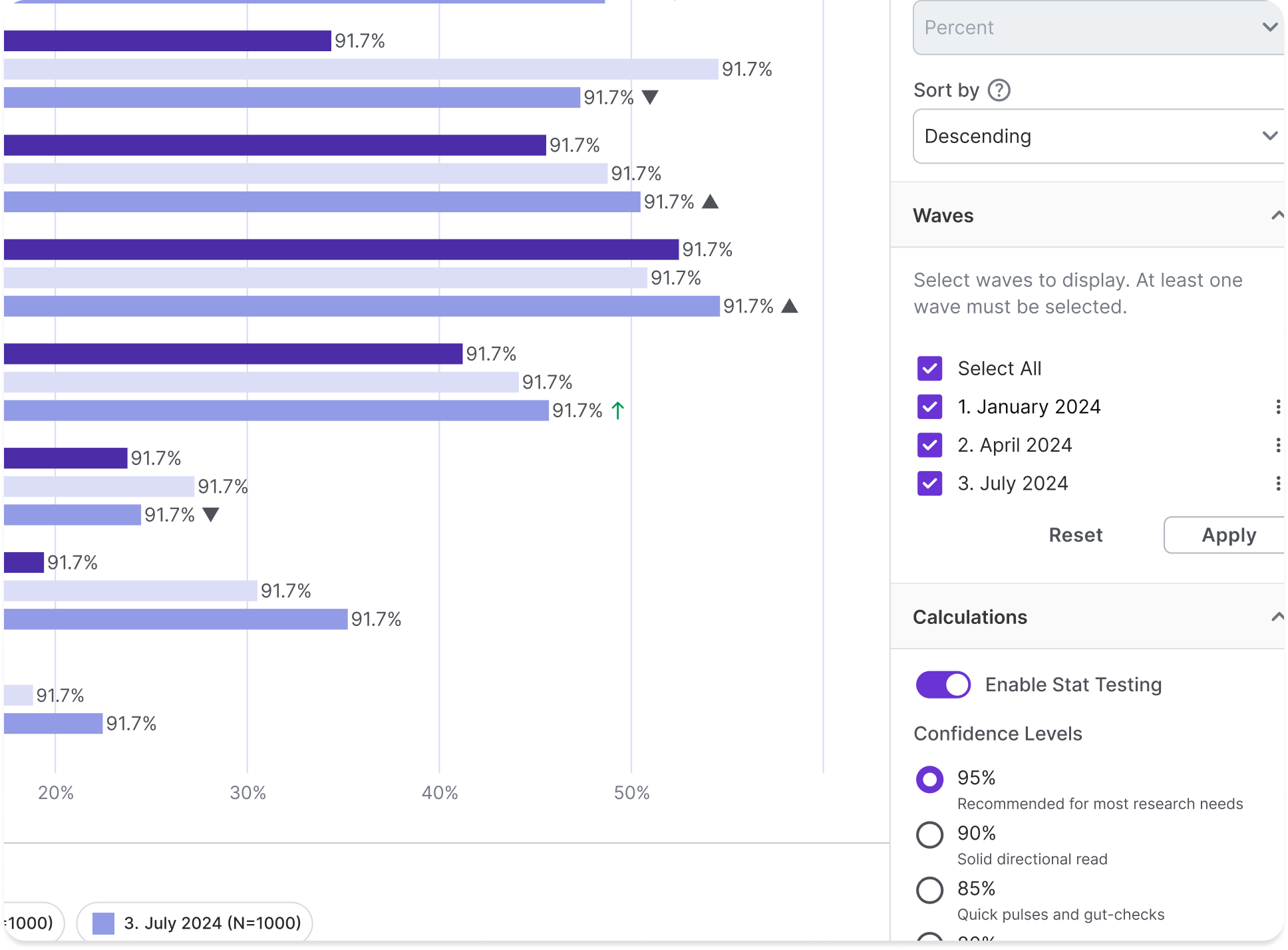
Chart Options
While we couldn’t update the chart controls on Data Explorer v1, we ended up repurposing several controls and patterns on the Brand Tracker feature, which required a more robust set of chart functionality.
-
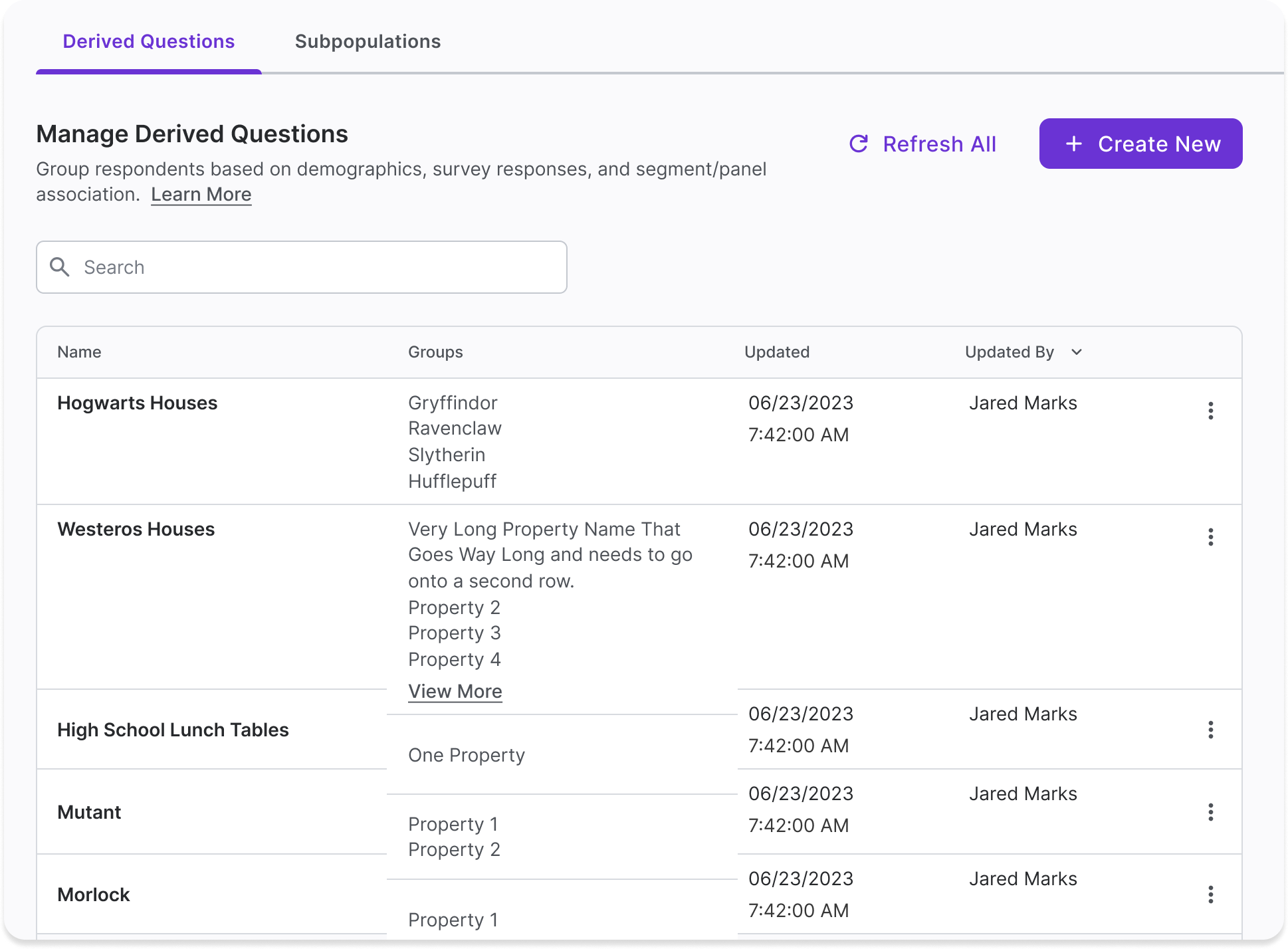
"Manage" Tables
We created new table design patterns so users can clearly manage their saved Subpopulation and Banner templates. New table patterns were then incorporated into user dashboards and admin tools.
-

Logic Builders
Scalable logic builders with flexible operators for Subpopulation and Banner templates set us up for major usability update to our in-step logic modals during survey setup.
Design Process
This wasn’t a clean-slate project. The backend was already partially built, and we didn’t have the manpower to make critical revisions to fully align with user needs. Our timelines were aggressive. Still, I advocated for a structured approach—retrofit to the double diamond—because when the build is messy, the process needs to be clean.
I led with the belief that even in complexity, users deserve clarity. So does the team doing the building. By aligning our process to a framework the whole team could rally around, I created a shared language that helped engineering, product, and design stay grounded in the “why” behind each decision, even when the “how” had to flex.
Discover
Internal and external stakeholder interviews
Cross-functional workshops
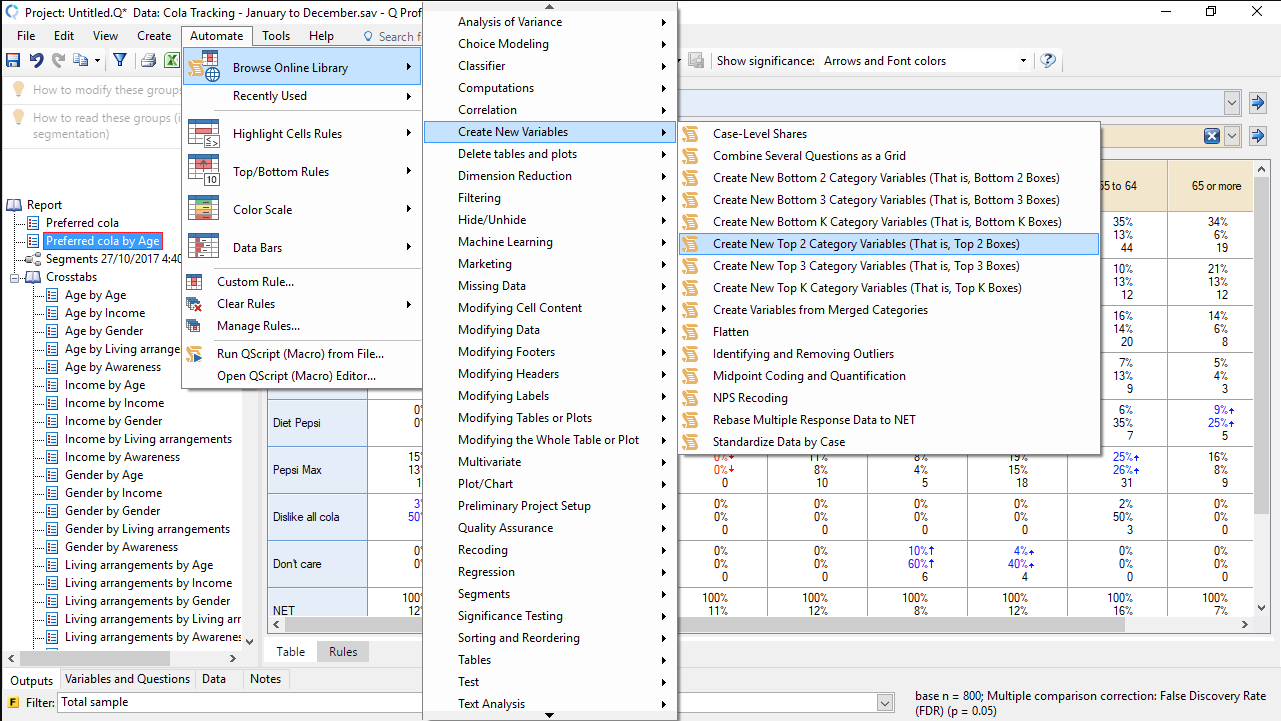
Competitive analysis of data tools in the MR space
To ground our direction, we also ran empathy mapping workshops and did a competitive audit of analytics tools widely used in the market research space (e.g. SPSS, Q, Tableau).
From our early discovery it seemed users weren’t overwhelmed by data—they were overwhelmed by the tools meant to help them. The problem wasn’t just complexity. It was fragmentation, friction, and a lack of clarity in how to move from question to insight.
Define
We synthesized research themes around three core user pain points:
Tool-hopping across platforms
Applying consistent data cuts throughout a survey
High cognitive load from non-intuitive UI patterns
To make the product viable within our backend constraints, we mapped these insights to feasible implementation paths. I worked closely with engineering and product leadership to identify which pain points we could solve immediately, and which needed to be architected into future releases.
We wrote user problem statements and experience goals that stayed visible throughout the build—guiding design decisions and tradeoffs:
Reducing “platform paralysis” by extending users’ in-platform workflow
Ensuring MVP allowed for mass duplication of data cuts across different question types
Simple and intuitive user interactions to build data cuts
Develop
Designed specialized components for data-heavy interfaces
Prioritized clarity, speed, and flow over feature bloat
Design began with divergent exploration: multiple concepts, tested via low-fidelity wireframes and interactive workshop sessions. I facilitated design critiques and round-robin ideation in FigJam, creating space for ideas to be pressure-tested across disciplines. I led the UX for our streamlined banner builder, turning a dense, technical function into something researchers could use intuitively.
Deliver
Built and tested high-fidelity prototypes via Maze and UserTesting
Integrated feedback loops with internal users and client-facing teams
As we moved into high fidelity, I partnered with another designer to refine interaction patterns and visual hierarchy. We set up remote usability tests of Figma prototypes via Maze and UserTesting, iterating quickly based on feedback.
The architecture was rigid, but our approach wasn’t. By keeping our components modular, we laid the groundwork for features that didn’t yet exist—like predictive analytics and quant-to-qual stitching—without overpromising.
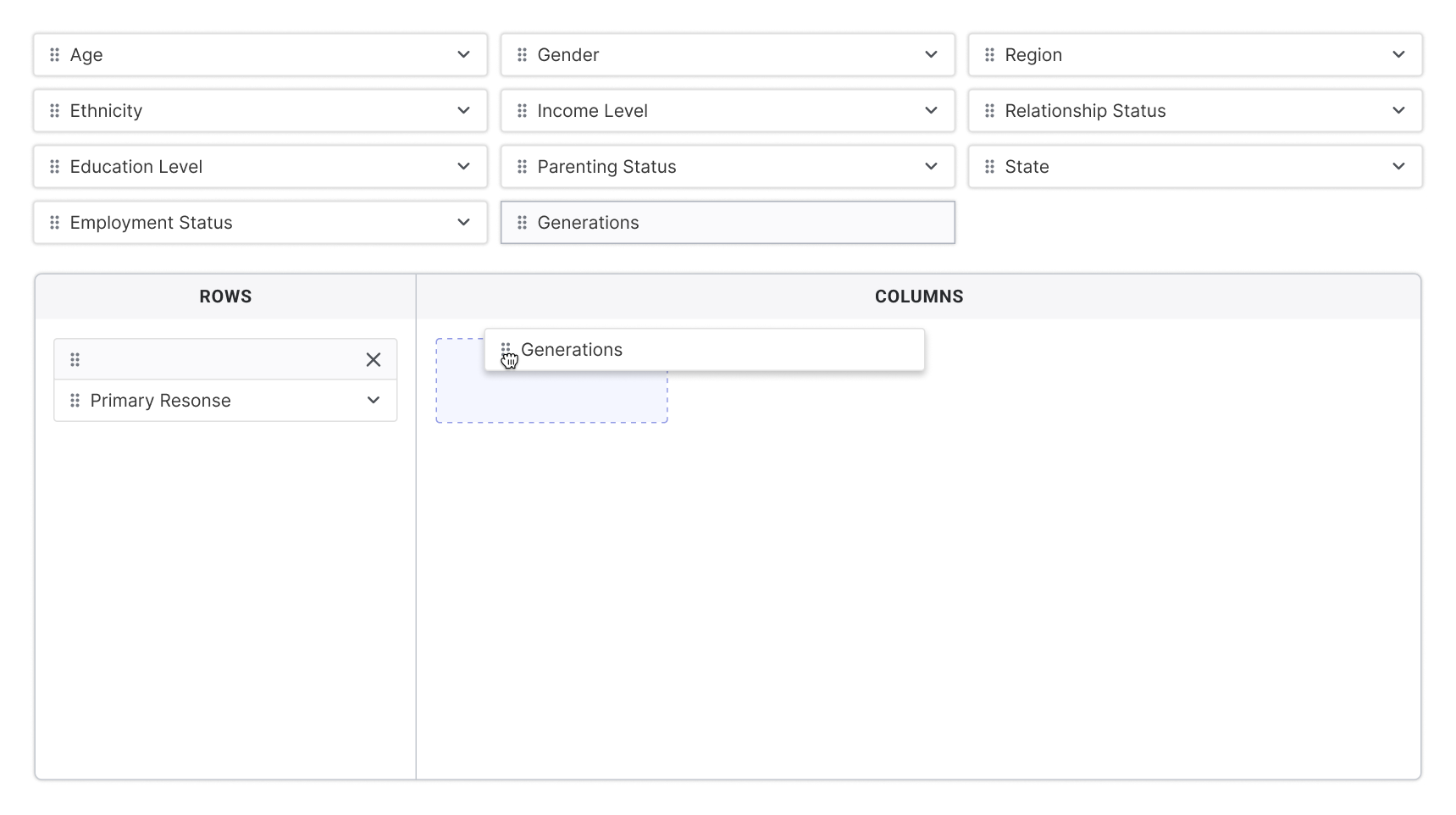
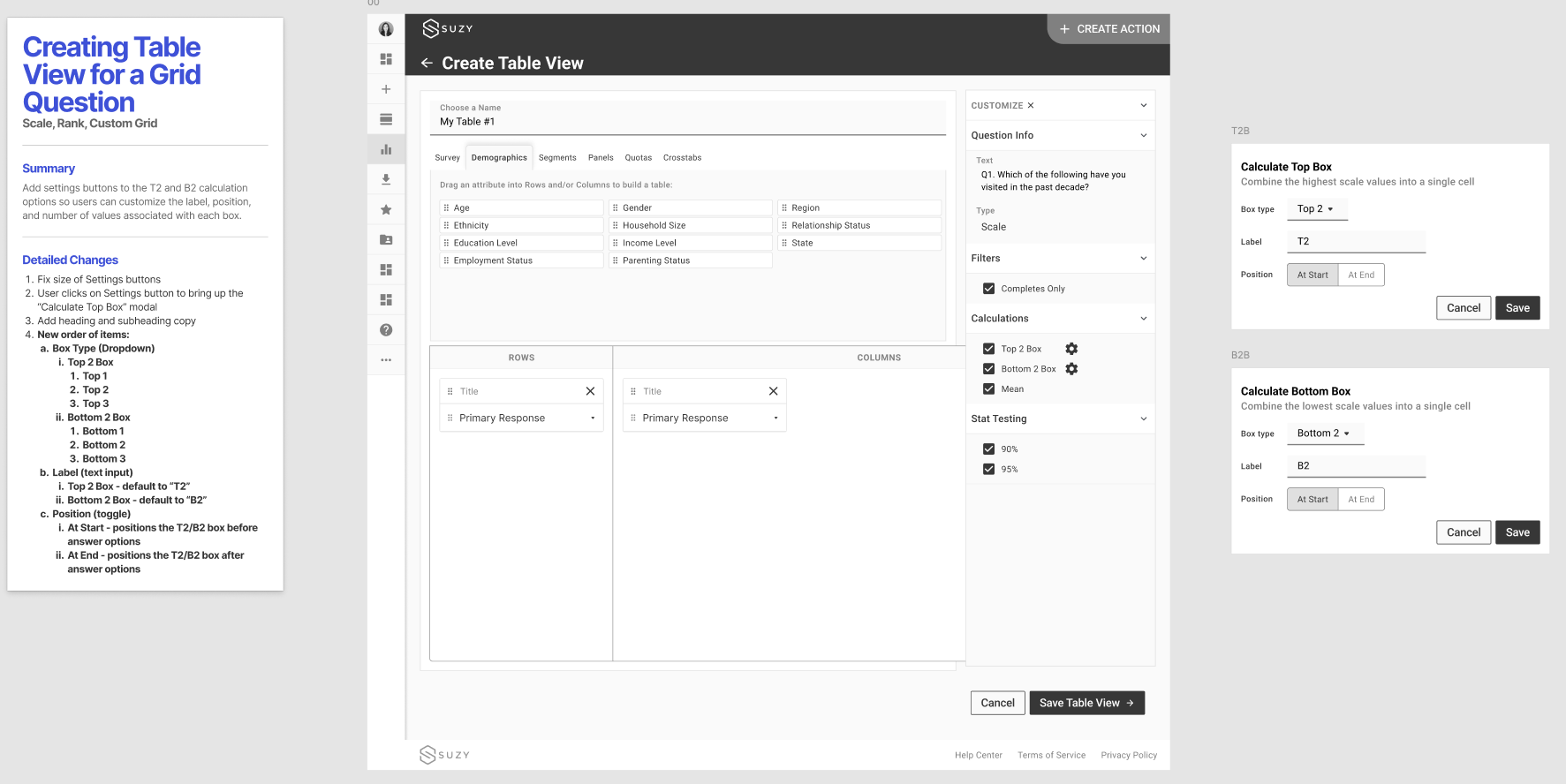
Key Features
-
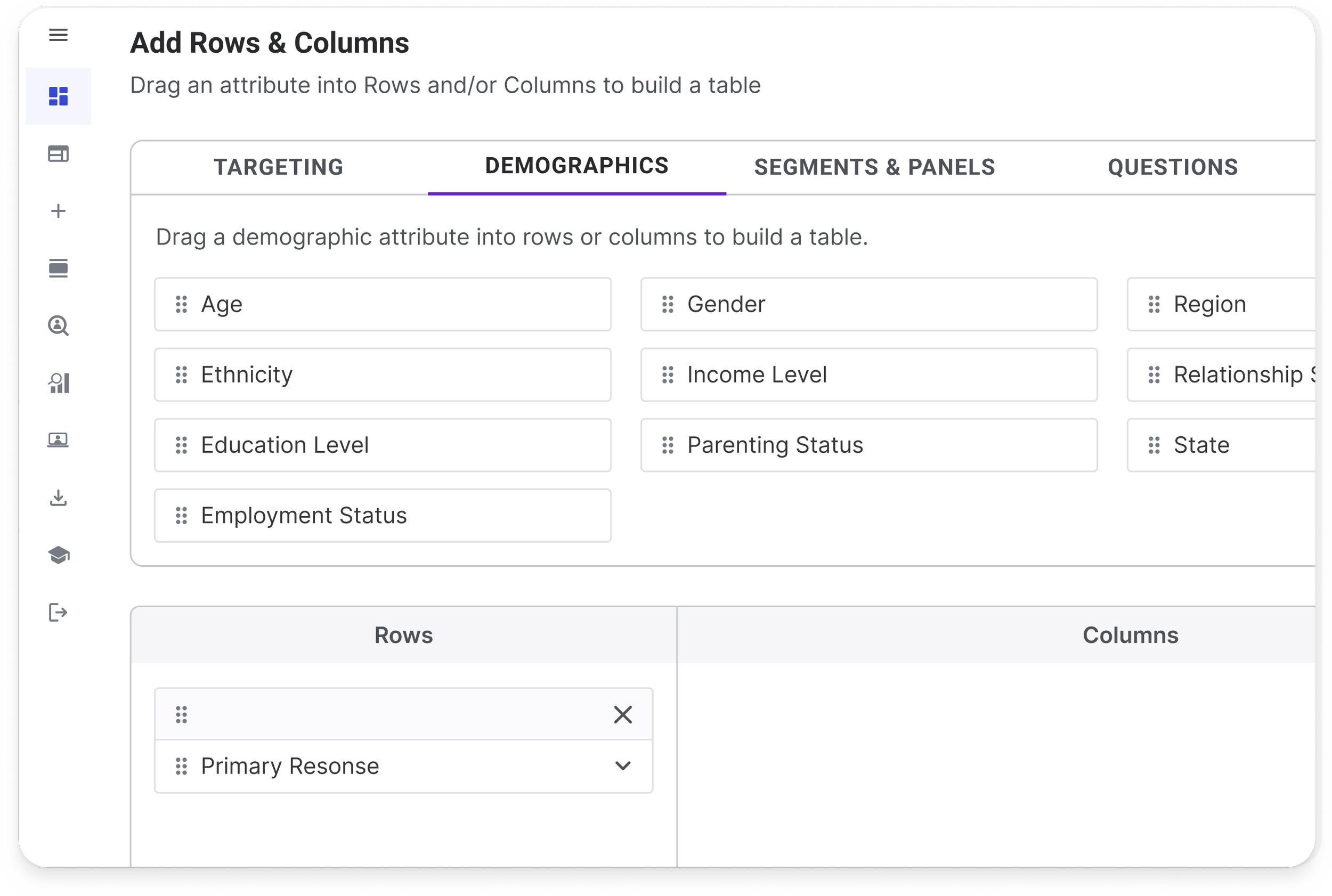
Streamlined Builder
Intuitive interface for building “banners” or data cuts across demographic attributes, user segments, and survey responses. Friendly to beginners; powerful for advanced users.
-
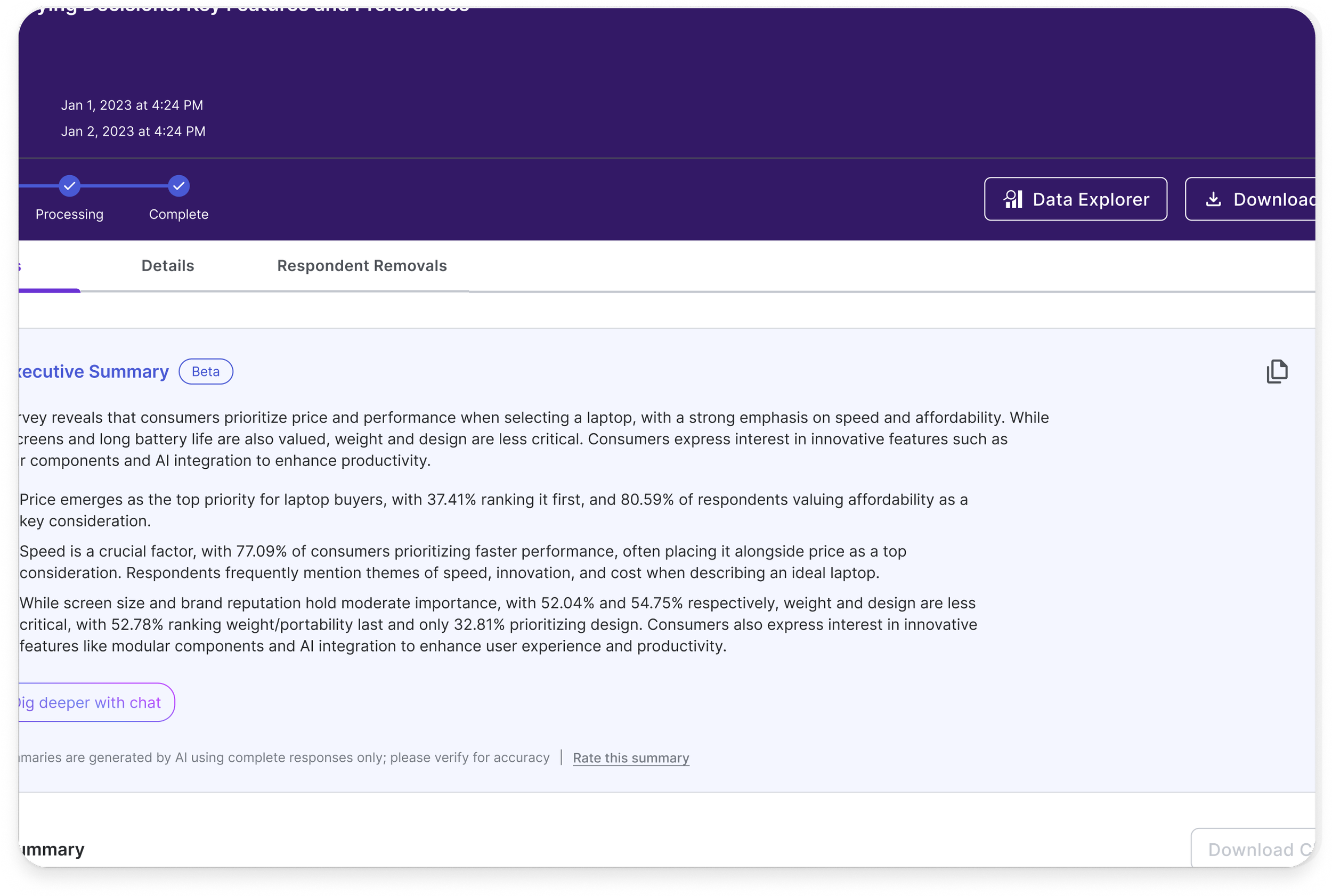
Clear Workflows
Users can quickly access Data Explorer from their survey results pages, giving quick access to powerful analytics while minimizing friction.
-
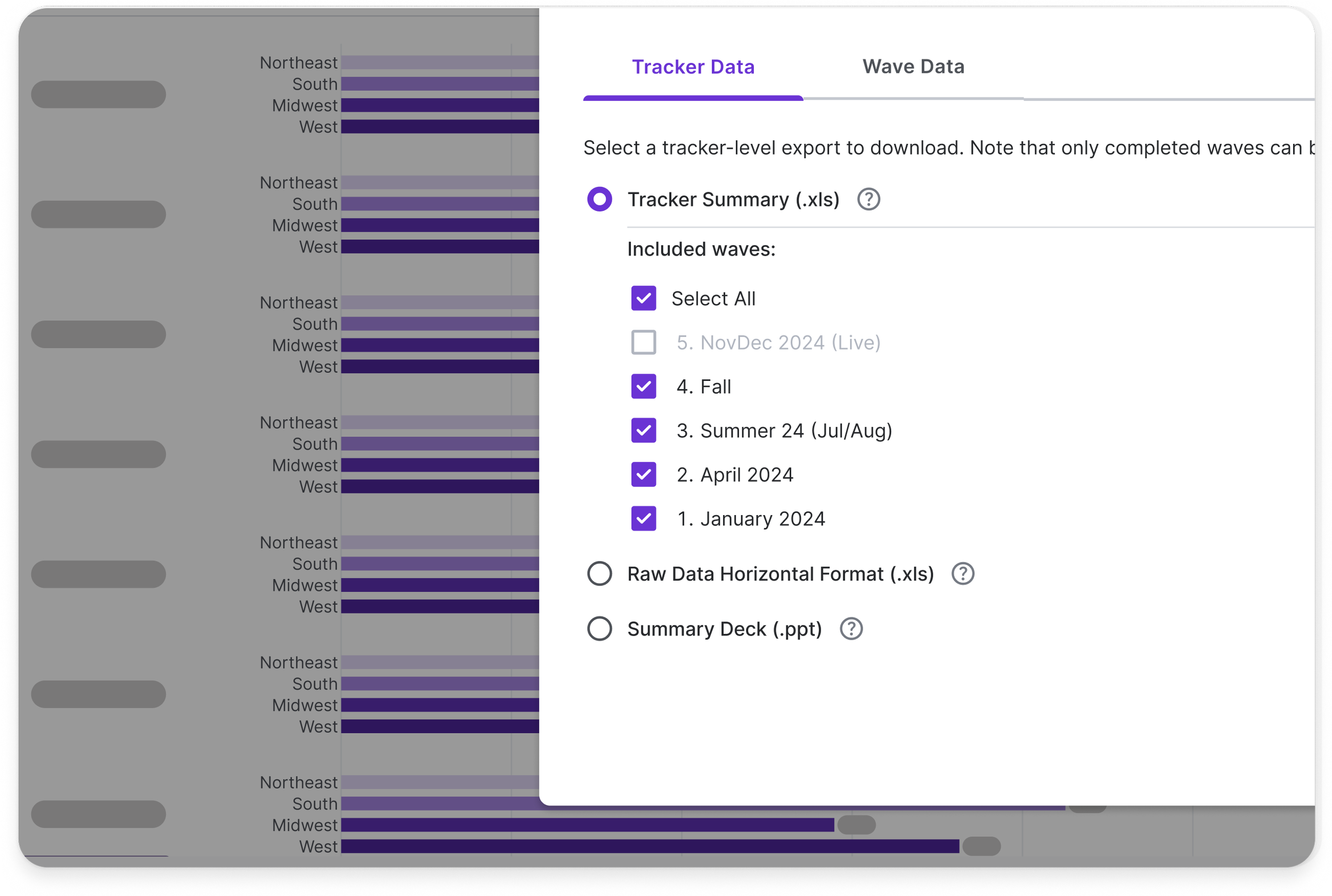
Impactful Analysis
Collaborated deeply with engineers and architects to fit within existing infrastructure and deliver robust outputs optimized for storytelling and decision-making.
Results & Impact
Quantitative Impact
+$18K annual upsell per customer
Increased engagement among advanced user segments
30% efficiency in deliverable delivery among internal researchers
Internal + Business Impact
Data Explorer earned strong adoption across both clients and internal teams. Our own Center of Excellence now relies on it—and no longer needs to stitch together insights from external tools.
From an organizational perspective, this process underscored the drawbacks of locking in a rigid backend architecture before consulting designers on users’ needs and goals for a critical step in researchers’ workflows.
We can’t afford to repeat that mistake.
The Next Steps
We’re already exploring predictive analytics and automation capabilities that proactively surface insights as surveys complete. With modularity at its core, Data Explorer is built to evolve alongside our users’ needs—without losing the simplicity that makes it so powerful.
In transforming Suzy into a true end-to-end research solution, Data Explorer affirms our belief that advanced tools don’t have to feel advanced. They just have to work—clearly, cleanly, confidently.
•
LAST WORDS
• LAST WORDS
This project sharpened my ability to lead through constraint—technical, temporal, organizational. It reminded me that simplicity isn’t the absence of complexity, but the result of designing through it. Data Explorer taught me how to build clarity into systems that resist it.